

Designing a Connected, AI-Assisted Platform for the Real Estate Market
Overview
Imobiox is a web platform for the Brazilian real estate market. It brings builders, agencies and independent brokers into a single ecosystem: each one manages their own inventory, shares it with a network of partners, and uses AI to take the repetitive work out of listing and promoting a property.
I designed the product experience for the MVP, from account creation and broker verification to inventory management, the partner network, the AI tools and the settings for each broker’s public website.
The Challenge
The real estate market still operates in a fragmented way: disconnected systems, rework, and little integration between the people involved in a sale. A builder has stock to distribute, an agency has clients, a broker has relationships, and each of them works in a different tool, re-typing the same property over and over.
The product had to answer three questions at once:
- How does a broker keep an entire portfolio organized without the tool getting in the way?
- How do two parties who don’t know each other agree to sell the same property, with clear rules?
- Where does AI actually save time, instead of being a feature for its own sake?
Product Scope
The MVP centralizes the property inventory, widens its distribution and gives every participant tools that make selling easier across the network. In practice, that became six areas:
- Onboarding: account creation, business details and CRECI verification
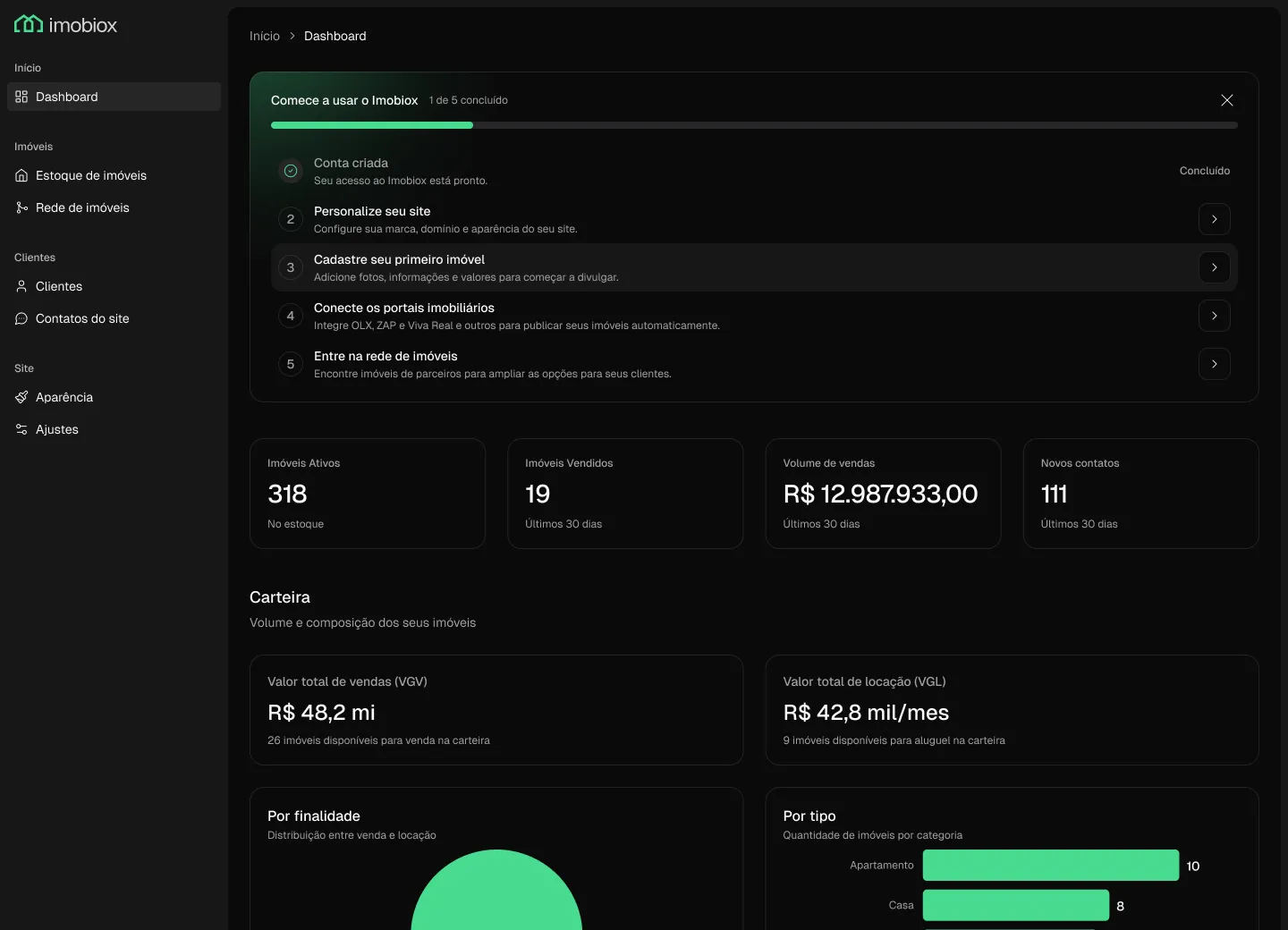
- Dashboard: a getting-started checklist and an overview of the portfolio
- Property inventory: listing, registration, gallery, status and publishing
- Property network: partner inventory and sale permissions
- AI Studio: tools to create content and improve listings
- Website: appearance, domain, integrations and SEO for the broker’s own site
The Product
Onboarding and Verification
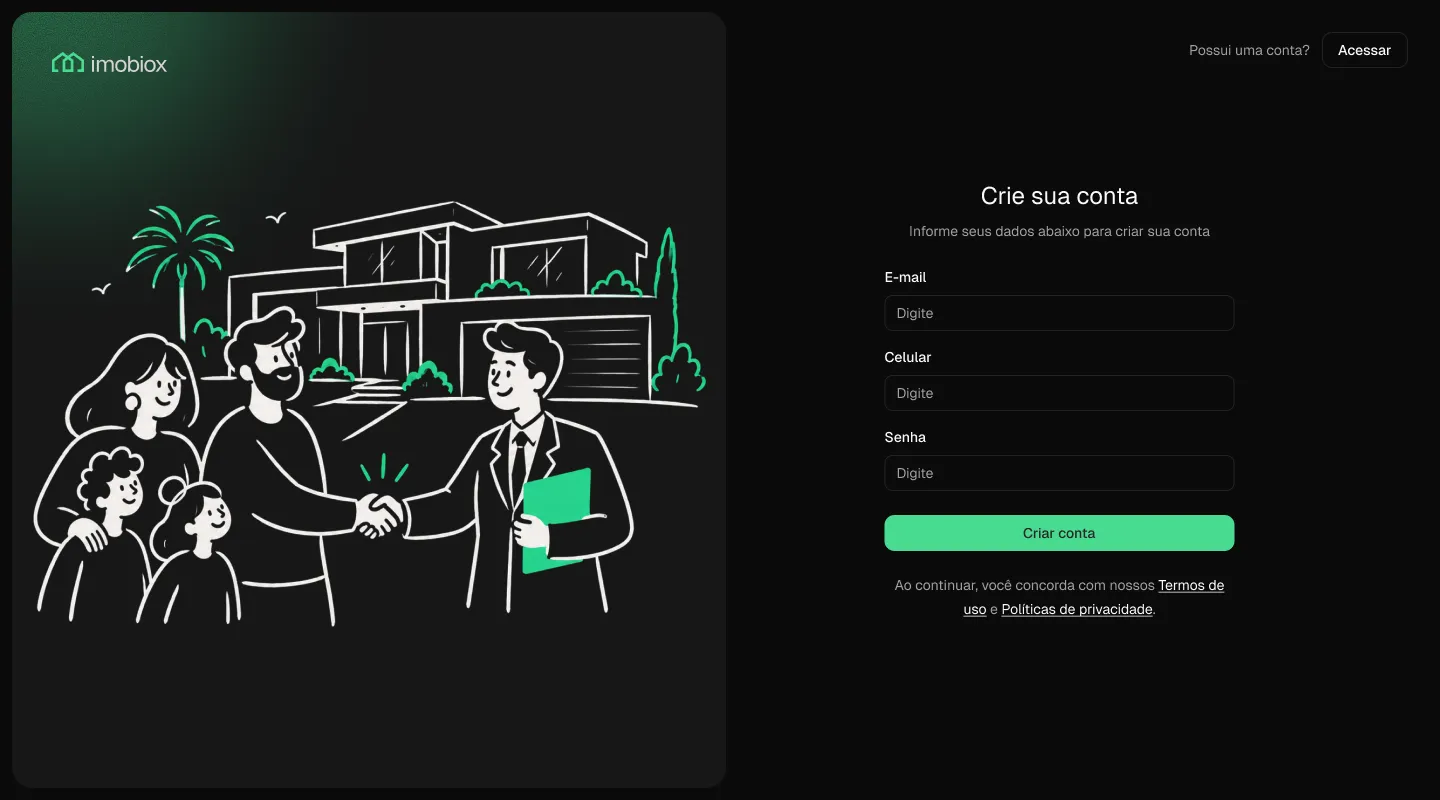
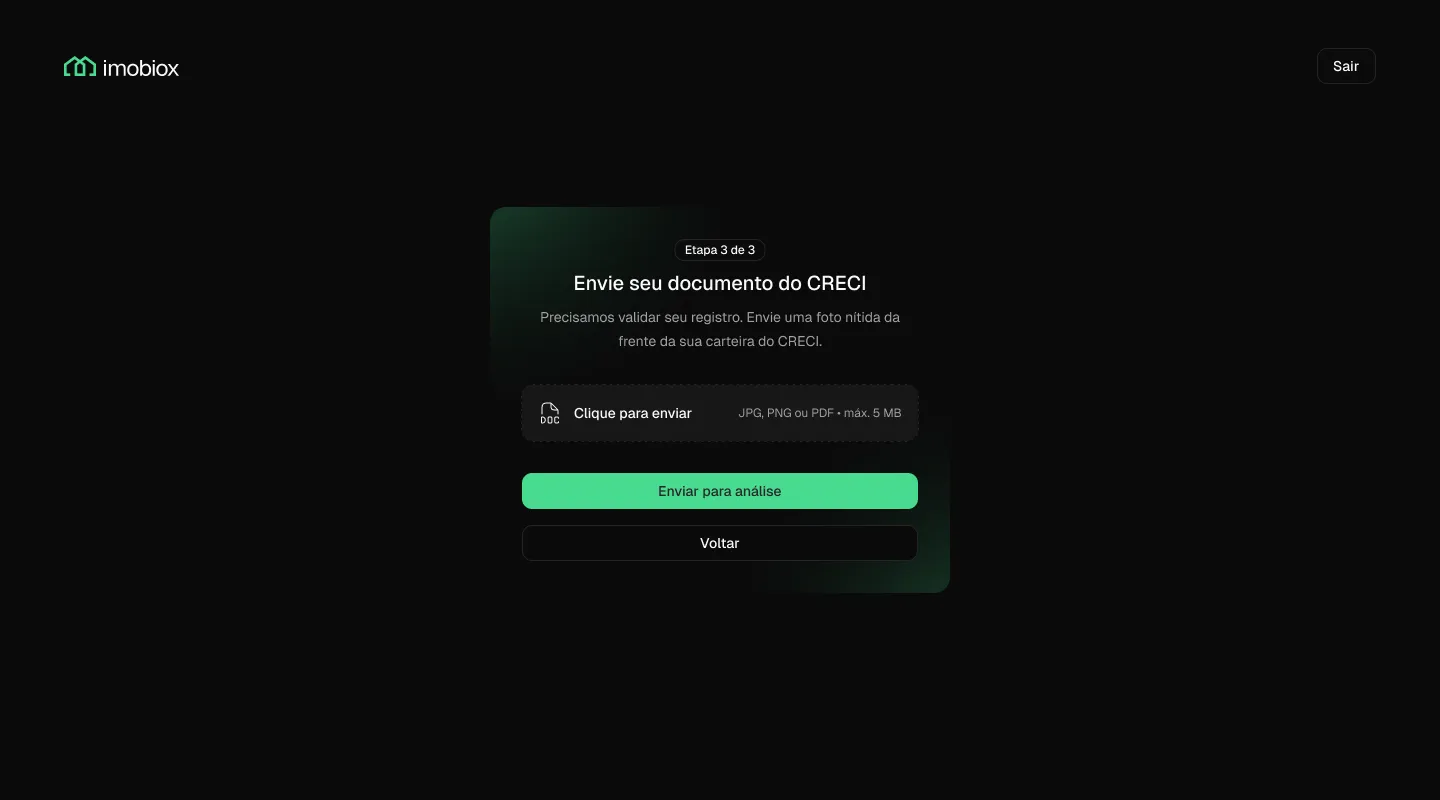
A network only works if people trust who is on the other side. Brokers in Brazil are licensed through CRECI, so verification is part of onboarding rather than an afterthought: after the business details, the broker uploads their CRECI document and the account moves through explicit states (under review, then approved or rejected), and a rejection has its own screen explaining the next step.
Once inside, the dashboard opens with a five-step checklist (customize the site, register the first property, connect the listing portals, join the network), so a new account always has an obvious next action, and the same screen later becomes the overview of active listings, sales volume and site traffic.
Property Inventory
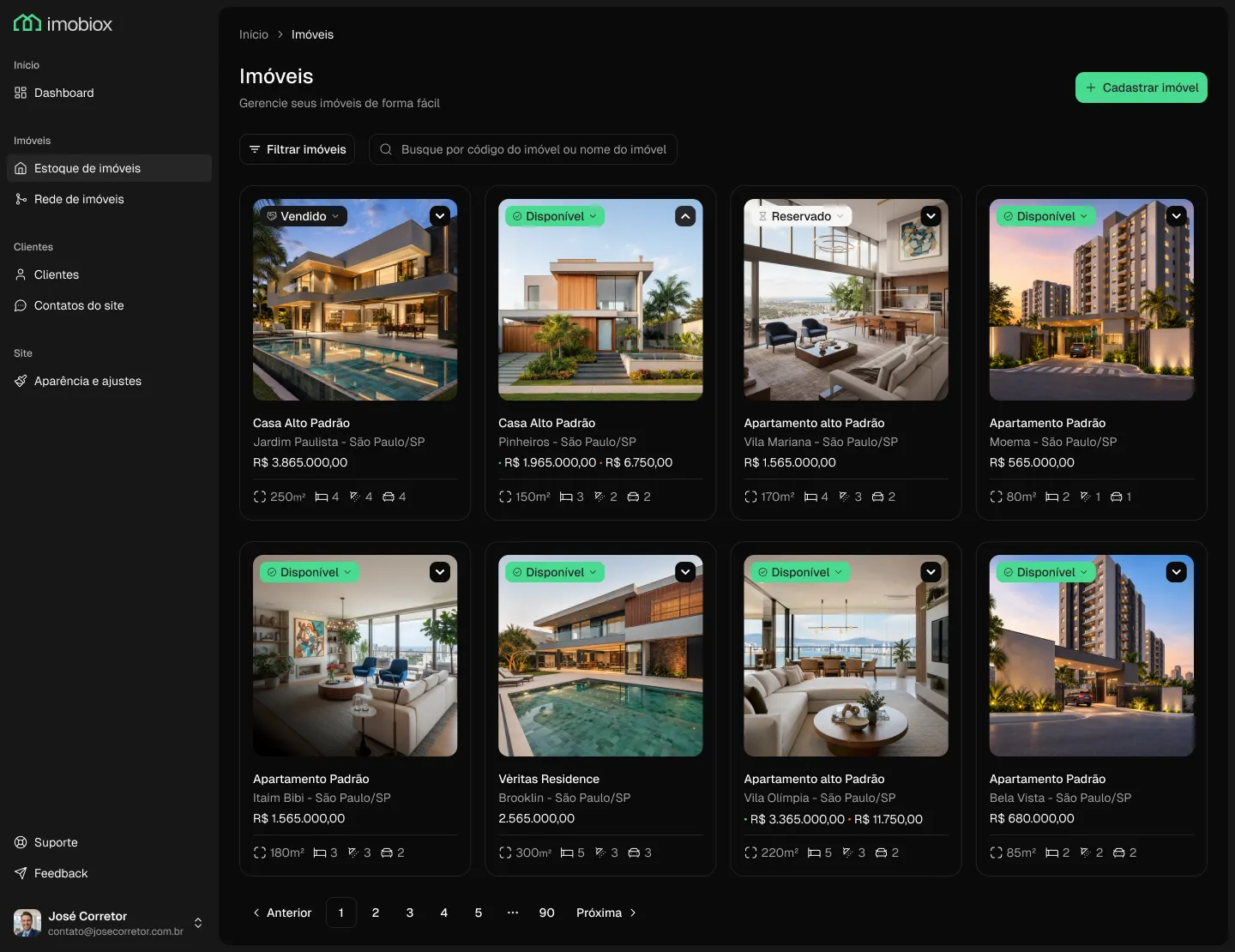
The inventory is where brokers spend most of their time, so the listing is built around the property card: photo, location, price range and key attributes, with the status (Available, Reserved or Sold) always visible on top of the image.
The actions that change where a property appears are available straight from the card. Unpublishing from the site or from the network, duplicating and registering a sale each have their own confirmation, and the ones that affect partners say so before the broker confirms.
Property Network
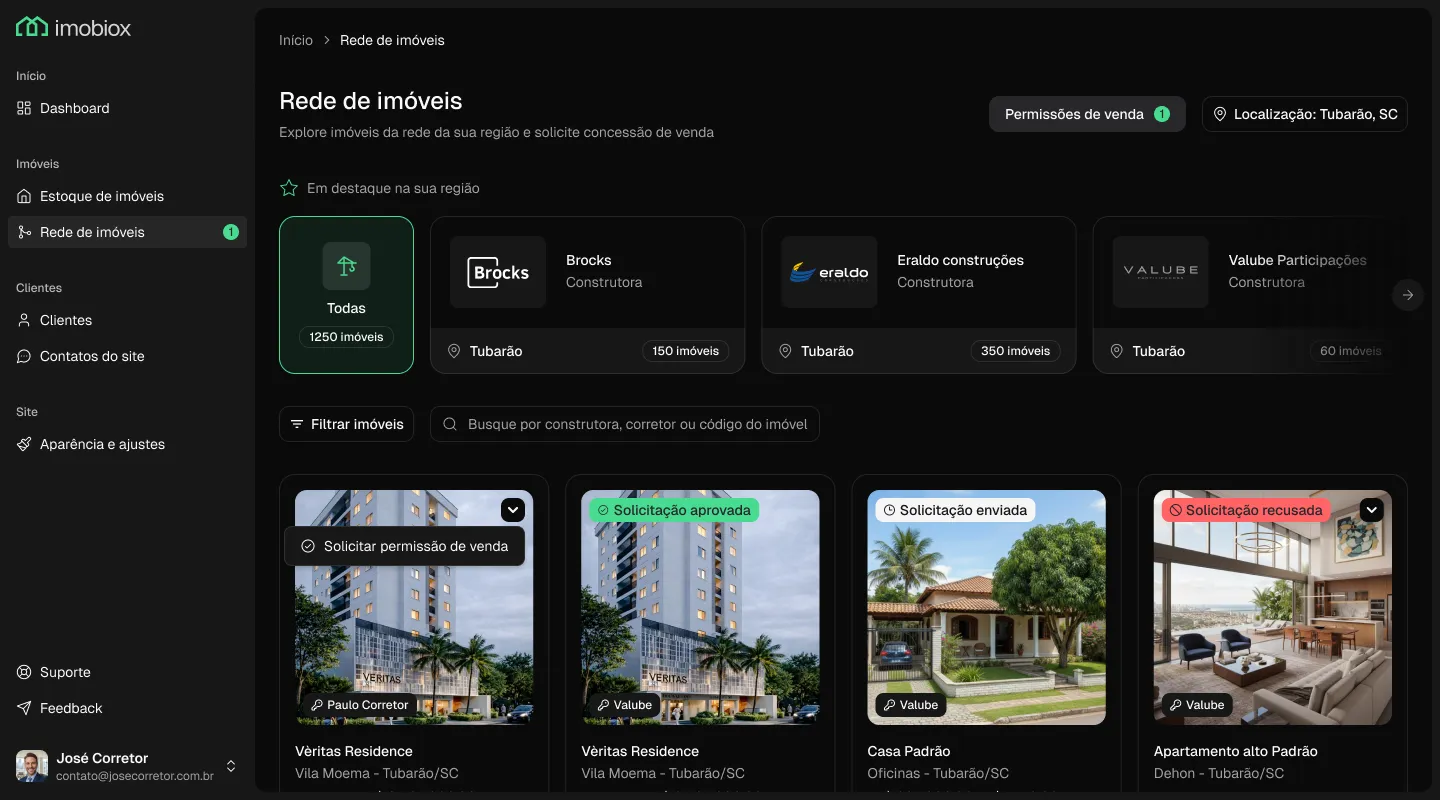
The network is the core of the MVP. A broker browses the inventory available in their region, filters by builder, and requests permission to sell a property that belongs to someone else. The card itself shows where that request stands (sent, approved or declined), so there is no need to open anything to know the status.
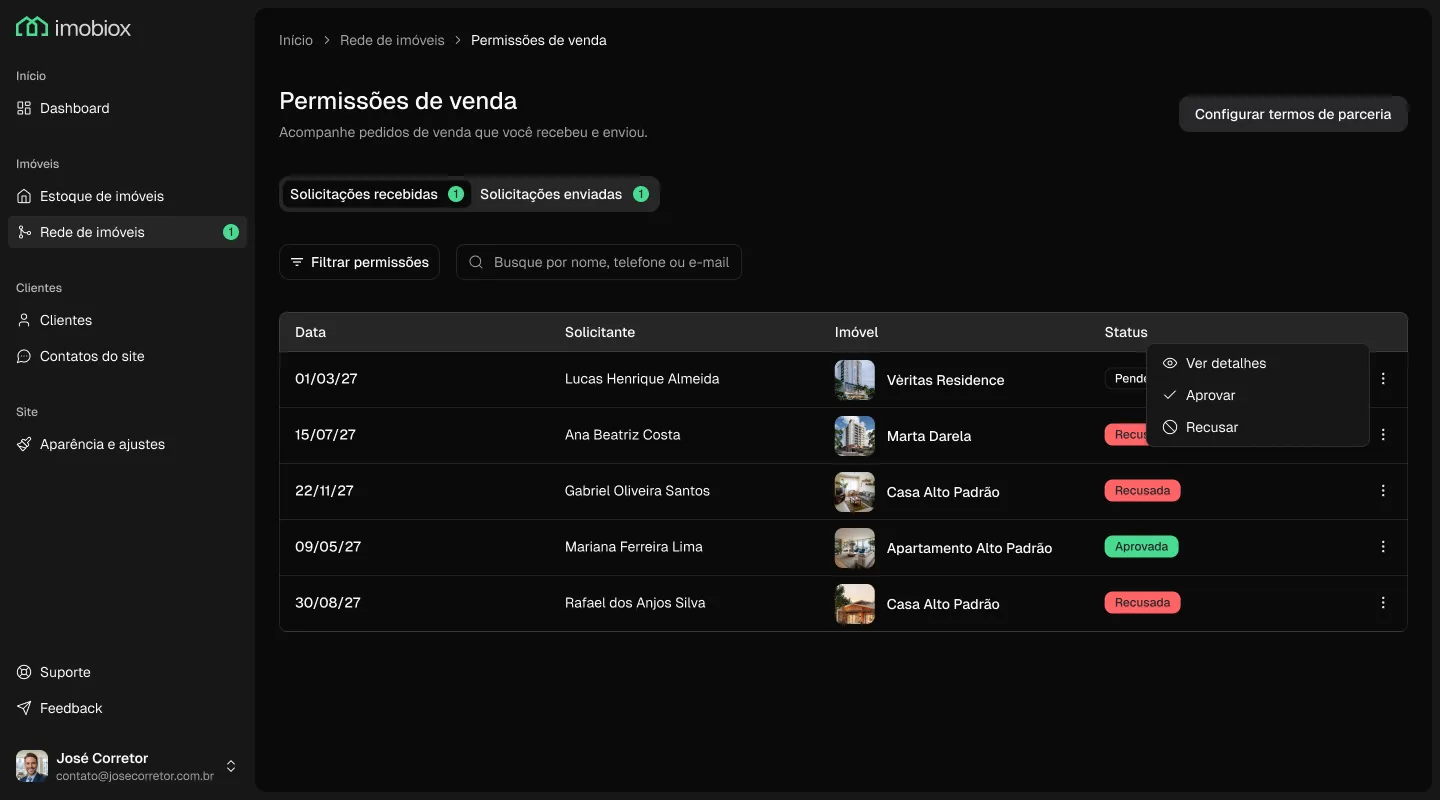
On the other side, the owner receives the request in a dedicated area, split between received and sent, and can review the details, approve or decline it. Partnership terms are configured once and shown to whoever is asking, so both sides know the conditions before the request is made.
AI Applied to Real Problems
AI only creates value when it solves a concrete problem in the operation. The approach in Imobiox is deliberately pragmatic: reduce manual work, improve the quality of the information, and help partners make better decisions.
Registering a property by voice
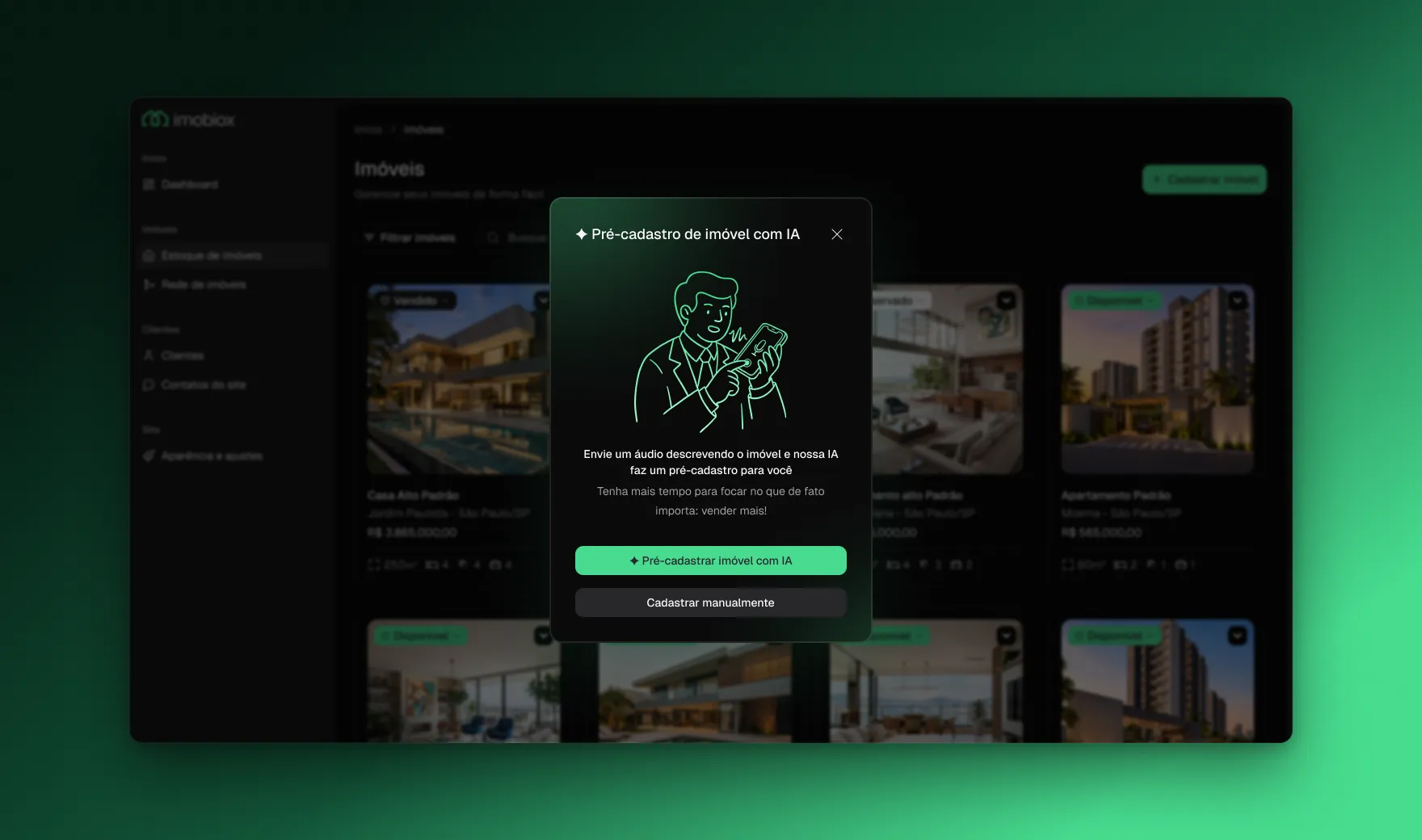
Registering a property means filling in a long form, usually after a visit and usually from memory. The AI pre-registration replaces the first pass with an audio note: the broker describes the property out loud, or forwards an audio they already recorded, and the AI turns it into a draft.
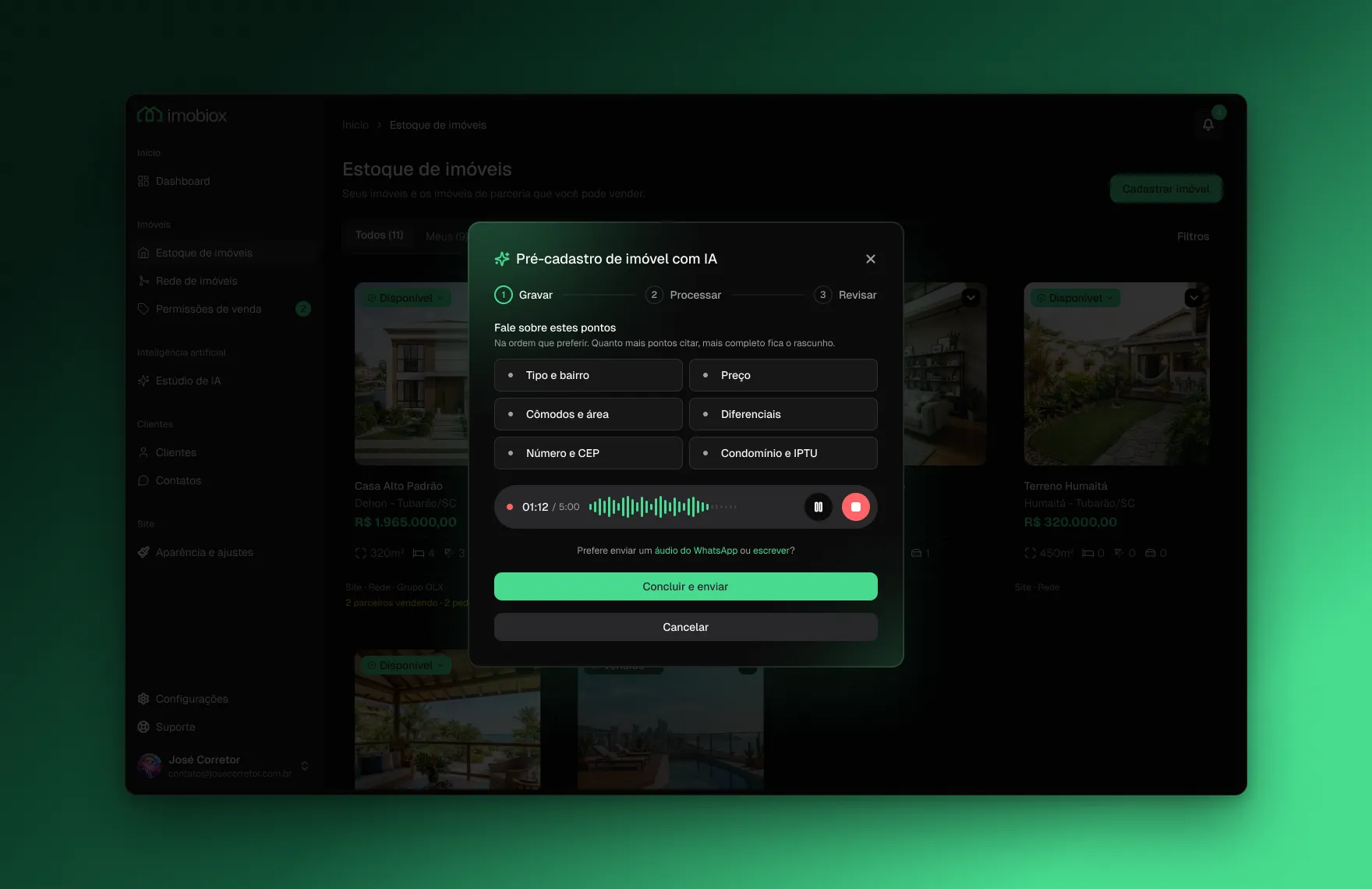
While recording, the modal lists what is worth mentioning: type and neighborhood, price, rooms and area, highlights, address, condo fee and property tax. It works as a prompt for the broker, not for the model.
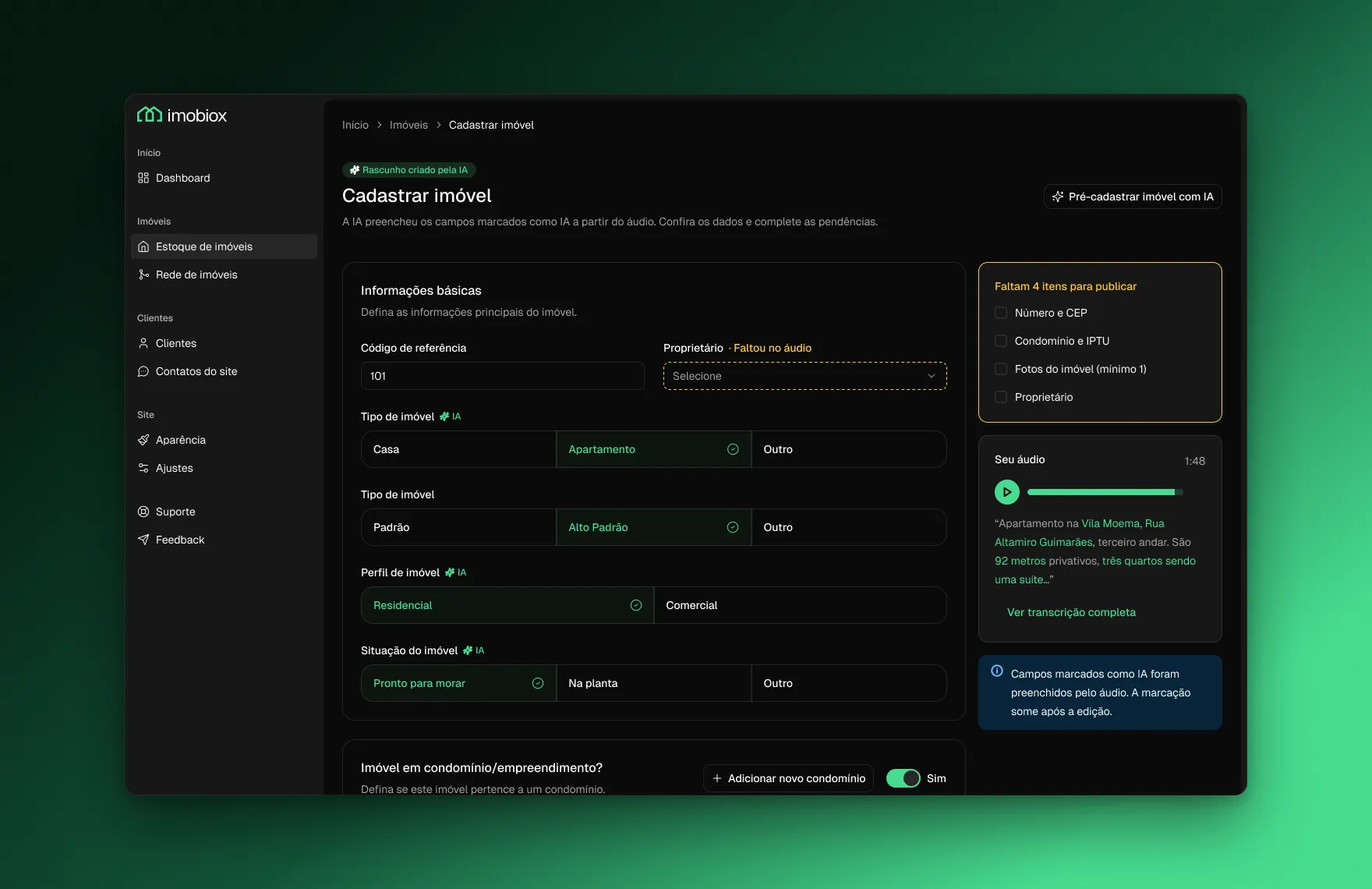
The result is a normal registration form, not a black box. Every field filled in by the AI is marked as such, the original audio and its transcript stay next to the form, and a checklist shows exactly what is still missing before the property can be published. The broker reviews and completes the draft before anything is published.
From mockup to a working concept
I also built this flow as an interactive concept, in code. Instead of a sequence of static screens, it can be opened in the browser and used: start the pre-registration from the inventory, record the audio, and review the draft the way a broker would.
Building concepts like this is part of my day-to-day. Alongside the Figma files, a working concept is one of my deliverables. It makes the behavior of a feature concrete before it goes into development.
AI Studio
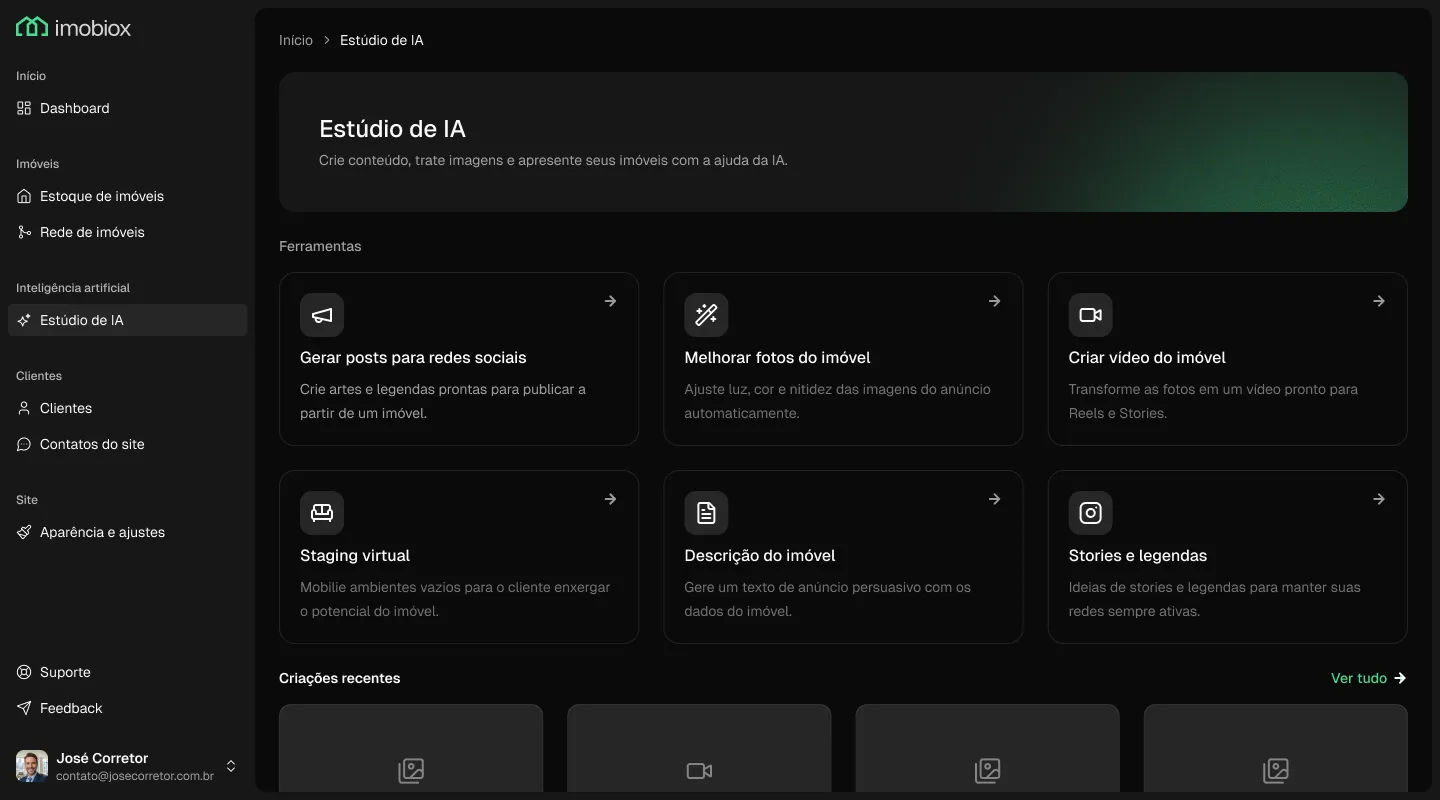
The AI Studio groups the tools that turn a registered property into marketing material: social media posts, photo enhancement, property video, virtual staging, listing descriptions, and stories and captions. Each tool starts from a property that already exists in the inventory, so there is nothing to describe twice.
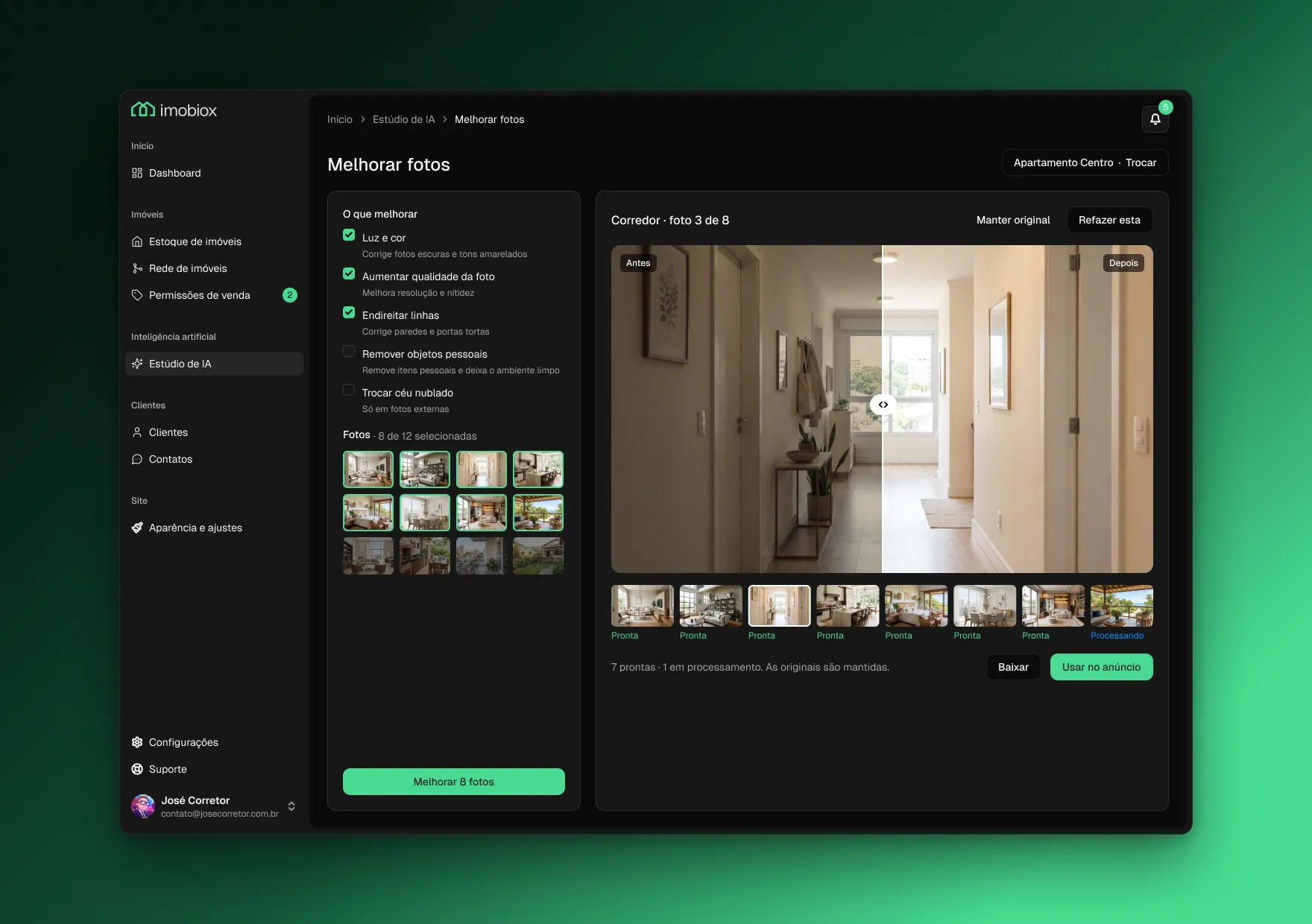
In photo enhancement, the broker chooses what to improve (light and color, sharpness, straightened lines) and compares before and after on each photo. Keeping the original or redoing a single image is one click away, and nothing replaces the listing photos until the broker decides to use them.
A Website for Every Broker
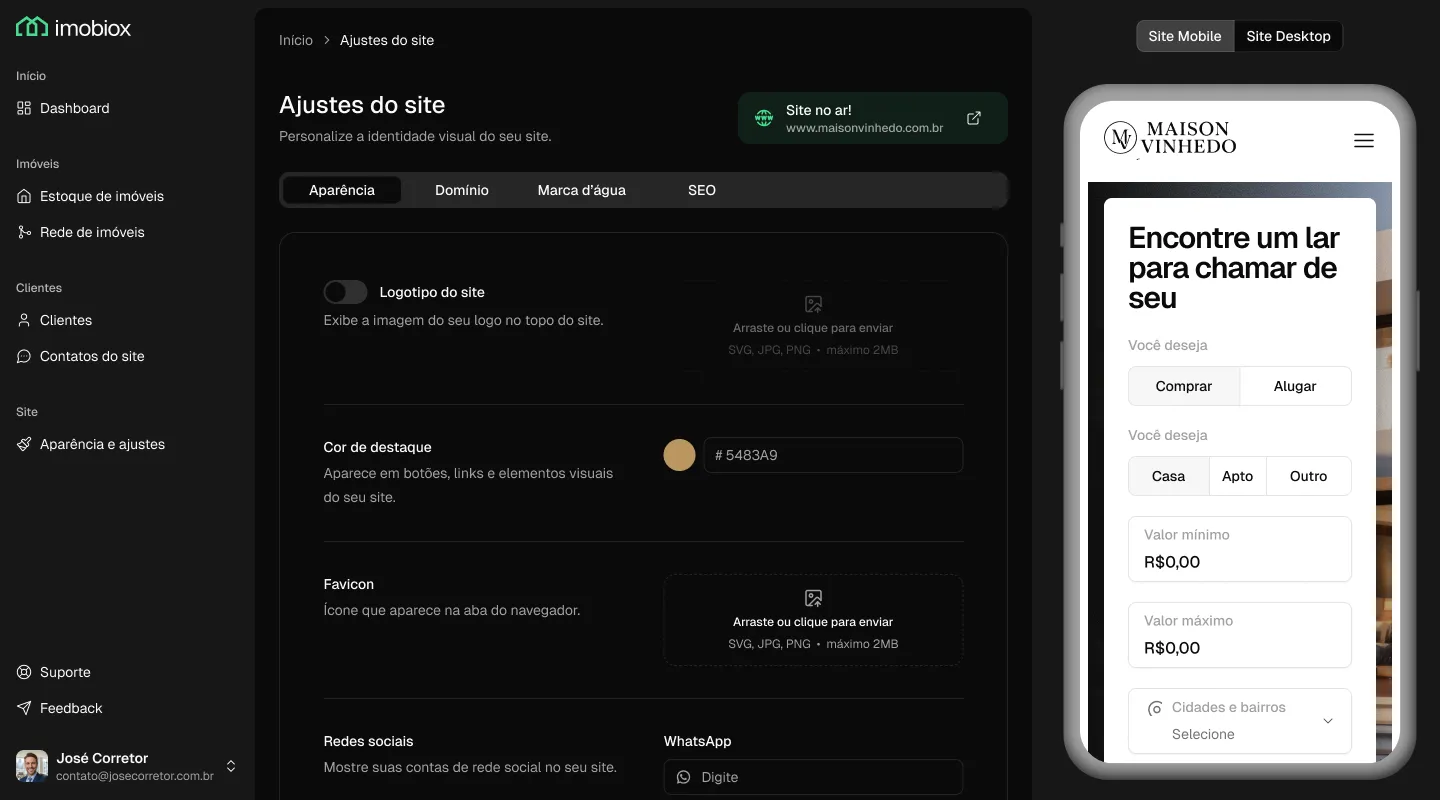
Every account includes a public website fed by the same inventory. The settings are organized in tabs (appearance, domain, integrations and SEO), and a live preview, switchable between mobile and desktop, shows the result while the broker changes the logo, accent color or home page sections.
Design Foundations
The interface is dark by default, with a single green accent reserved for primary actions and positive status. The property card, the network card, the client record and the property filters were built as components with variants, so the inventory and the network share the same visual language.
Empty states, “no results”, loading errors and missing-permission screens were designed as part of the system rather than screen by screen, which keeps the product predictable when something isn’t there.
What’s Next
After the MVP, each new initiative is prioritized by its potential to generate value for the ecosystem, increase engagement across the network and prepare the platform for a national expansion, moving from a property network toward a complete hub for the real estate market.